
Peer+ Map Options
Maps in Peer+ help credit unions add geographic context to their market analysis.
By layering boundaries such as congressional districts, counties, and military bases, you can explore how regulatory, community, and demographic factors intersect with the markets you serve
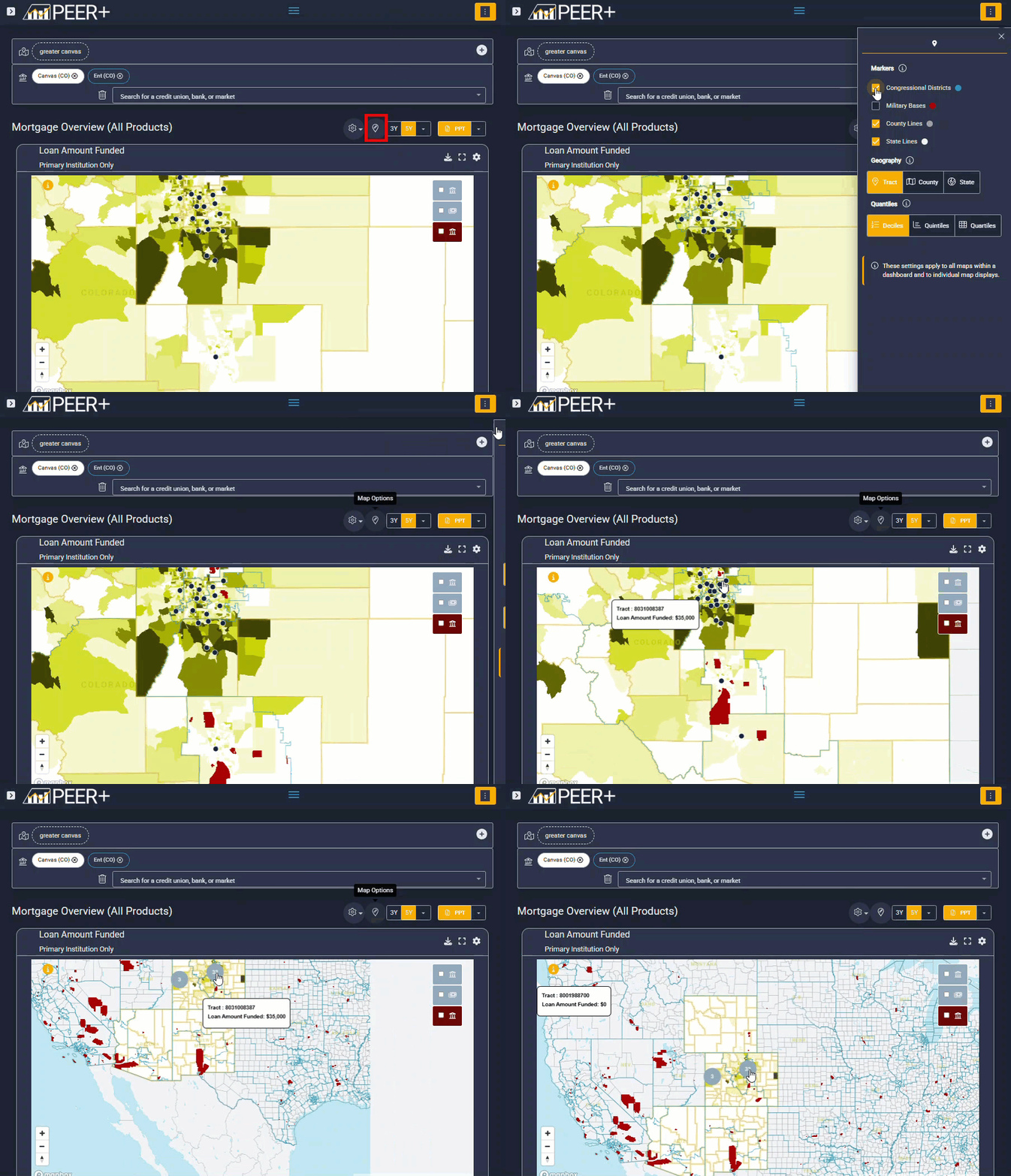
Access map options
To modify your map view, select the pin icon located above the map on the right-hand side.
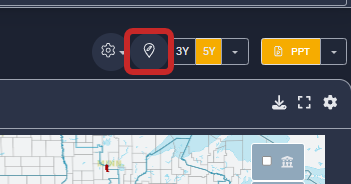
|
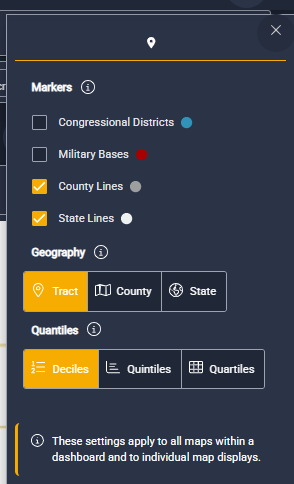
Available map markers You can add contextual markers to better understand the environment around your selected market, including:
These overlays are especially helpful when discussing regulatory considerations, membership opportunities, or community-based strategies. Choose your geographic view. You can adjust how geography is displayed on the map by selecting one of the following:
|
|
Adjust map size and dashboard layout.
Maps can also be resized and adjusted within dashboards to support clearer storytelling and presentation-ready views.
To learn how to modify map layouts and dashboard displays, visit this guide.