
How To Use The Credit Union Performance Dashboard
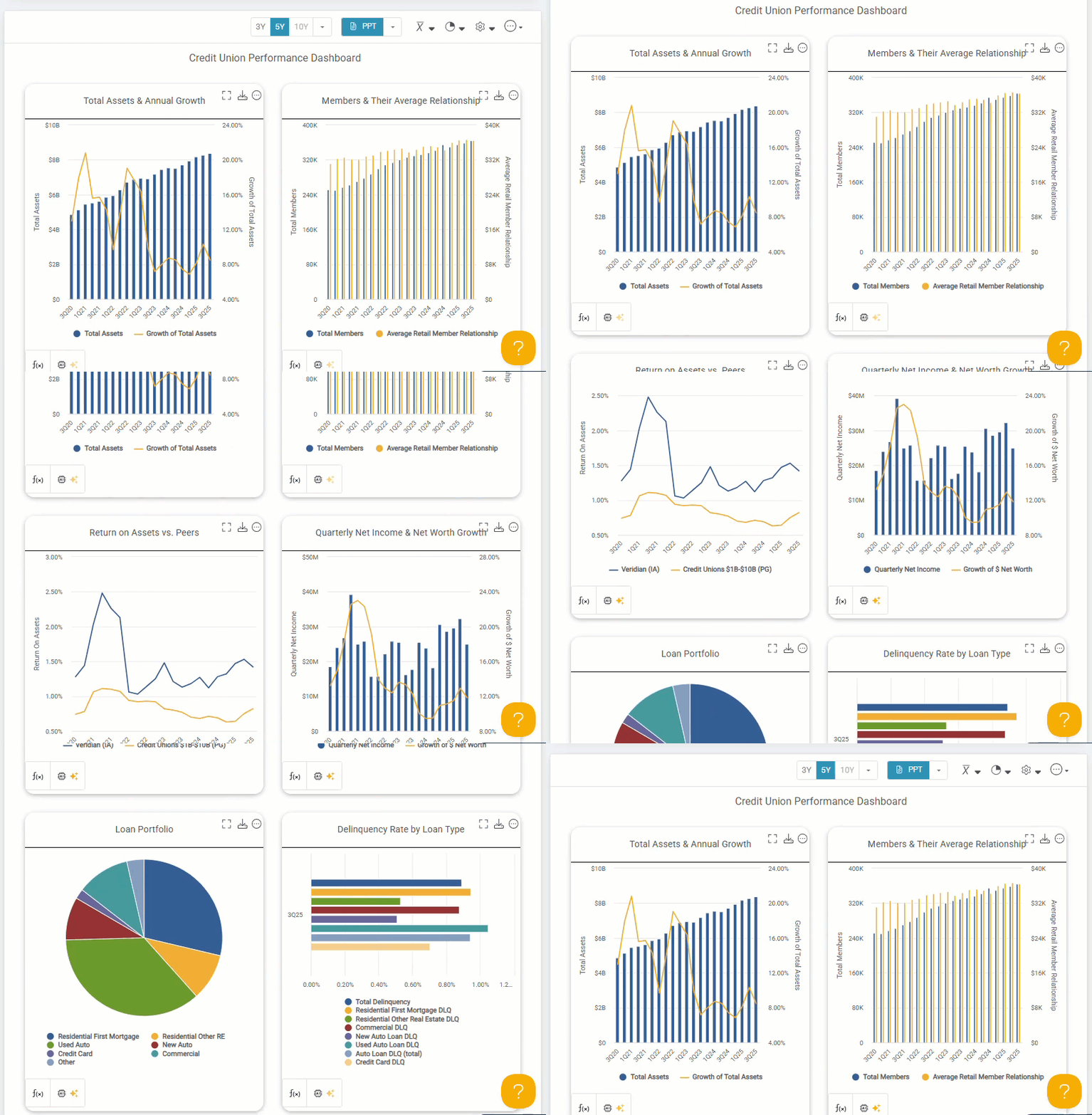
With a subscription, credit union teams gain access to dozens of analyst-built dashboards and hundreds of visualizations. Teams can also create custom dashboards by pairing the metrics and displays that best tell their strategic story.
What The Credit Union Performance Dashboard Helps Answer
Are we growing the right way?
Total assets and growth show whether expansion is sustainable or straining capital and operations.
Are members driving value?
Member count and average relationship indicate whether growth reflects deeper engagement or just more accounts.
Are we performing competitively?
Is performance strengthening the balance sheet?
Quarterly net income and net worth growth show whether earnings support long-term stability.
Where is our risk concentrated?
Loan portfolio composition reveals exposure to rate changes and economic shifts.
Are there early warning signs?
Delinquency by loan type reveals stress in specific loan segments before it appears in overall results.
Together, these metrics show whether today’s performance is building long-term strength or creating future pressure.
Navigating The Performance Dashboard
Working with Individual Displays

Modify Your Dashboard View

Time and Trend Controls
- Choose quarterly (default), semi‑annual, or annual views to align with your reporting and review cycles.

- Adjust trend length to focus on shorter or longer performance periods.
Peer Pointer!
Use the dropdown arrow to access FirstLook, Callahan's Early Data program. Learn more here.

When available, the FirstLook cycle will be indicated with an asterisk in the dropdown.
Peer Comparison Controls
- Peer Group value: Adjust how peer data is aggregated in your display. The default setting is Weighted Average, with additional options pictured below.

Chart Appearance Options
- Data Labels: Enhance visuals for presentations by adding labels to the first and last data points or across the entire dataset.
- Adjust Y-Axis: Set the y-axis to zero or revert to the default minimum (calculated as the most sensible minimum value). This applies to charts only.
- Data Markers: Toggle markers on or off to emphasize specific data points.
- Show Primary Name in Title: Include the primary credit union or peer name directly in the chart title for clarity.

Exporting, Automating, & Resetting

Use the more options menu to set up automated email delivery to receive dashboards on a scheduled basis or reset all displays back to their default settings.
